



Etherchanel - Loadbalance
Cho sơ đồ mạng như sau:
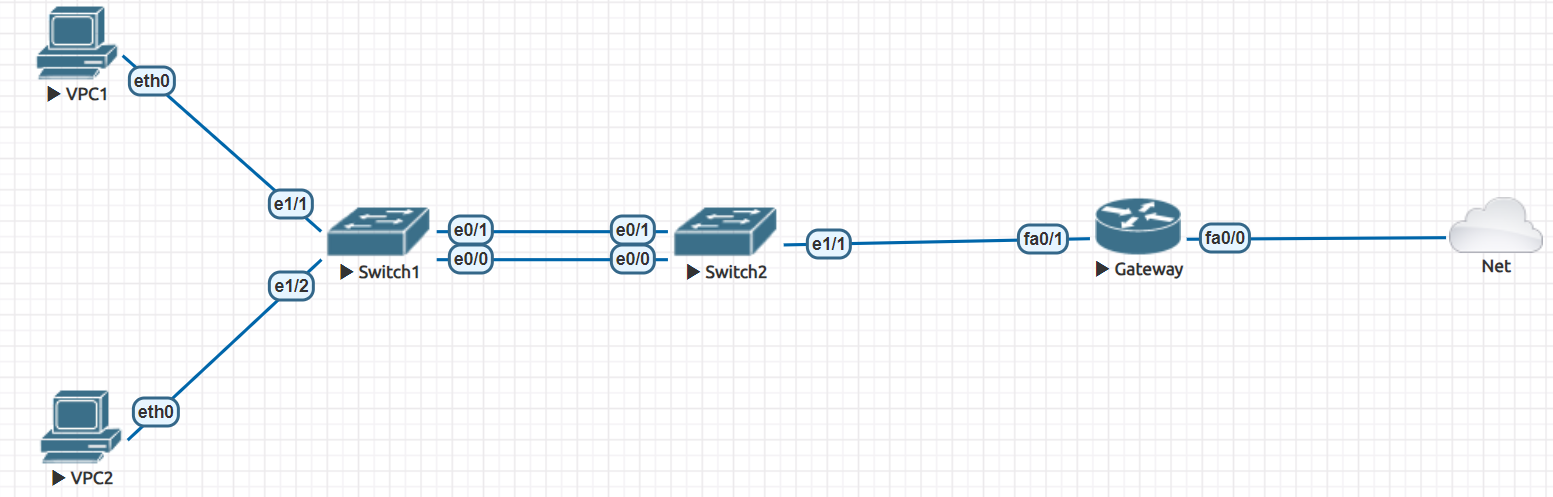
Cấu hình Etherchanel cho kết nối giữa 2 switch.
Sử dụng thuật toán load-balance là src-dst-mac.
Bước 1) Cấu hình cho Router Gateway
Trên Router Gateway:
enable
configure terminal
hostname Gateway
interface F0/0
no shutdown
ip address dhcp
ip nat outside
exit
interface F0/1
no shutdown
ip address 192.168.100.1 255.255.255.0
ip nat inside
exit
access-list 1 permit 192.168.100.0 0.0.0.255
ip nat inside source list 1 interface F0/0 overload
ip domain-lookup
ip name-server 8.8.8.8
no ip cef
do write
end
show running-config
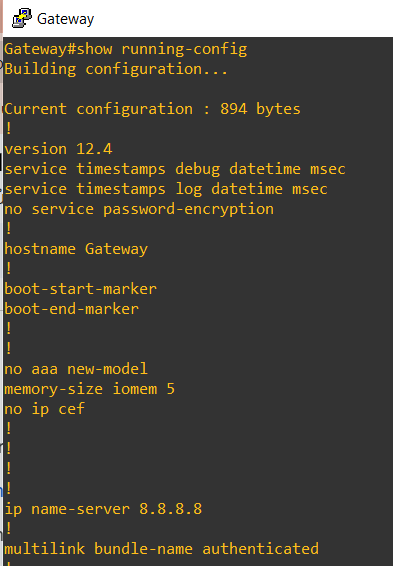
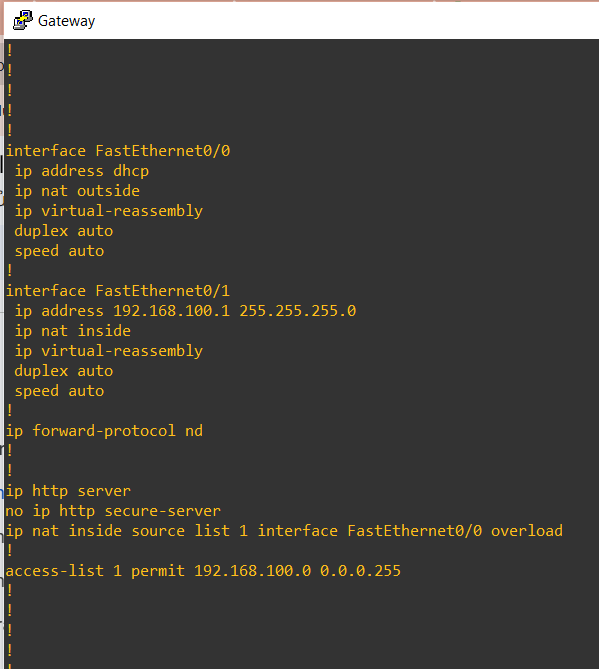
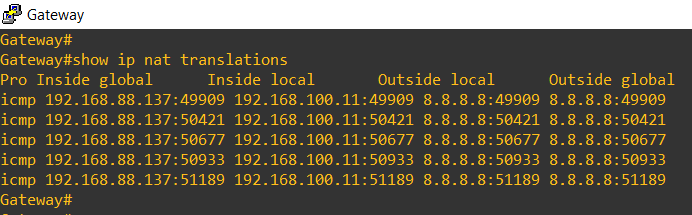
show ip nat translations
Bước 2) Cấu hình cho 2 Switch
Trên Switch1:
enable
configure terminal
hostname Switch1
interface range E0/0 - 1
channel-group 1 mode active
exit
port-channel load-balance src-dst-mac
do write
end
show etherchannel summary
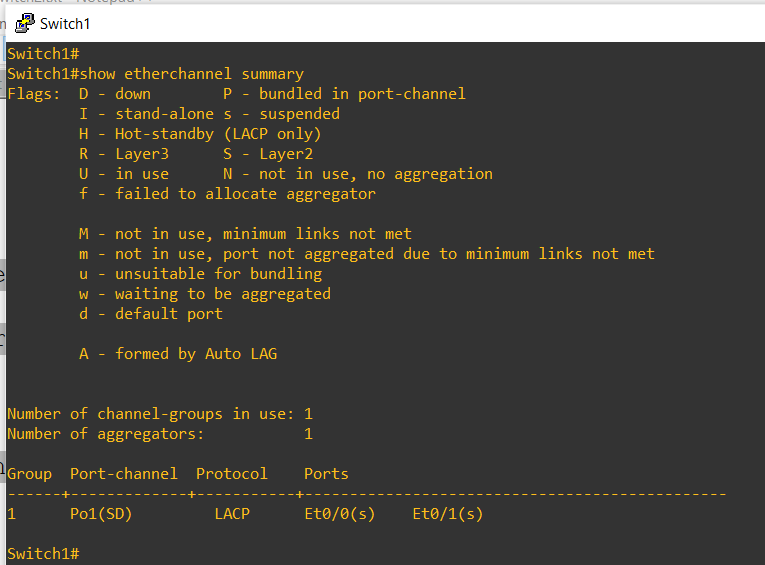
show etherchannel load-balance
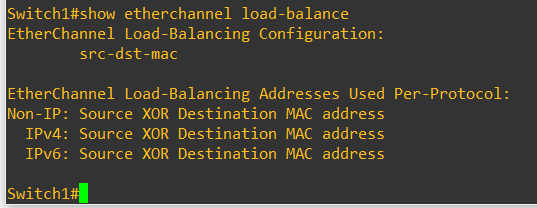
Trên Switch2:
enable
configure terminal
hostname Switch2
interface range E0/0 - 1
channel-group 1 mode active
exit
port-channel load-balance src-dst-mac
do write
end
show etherchannel summary
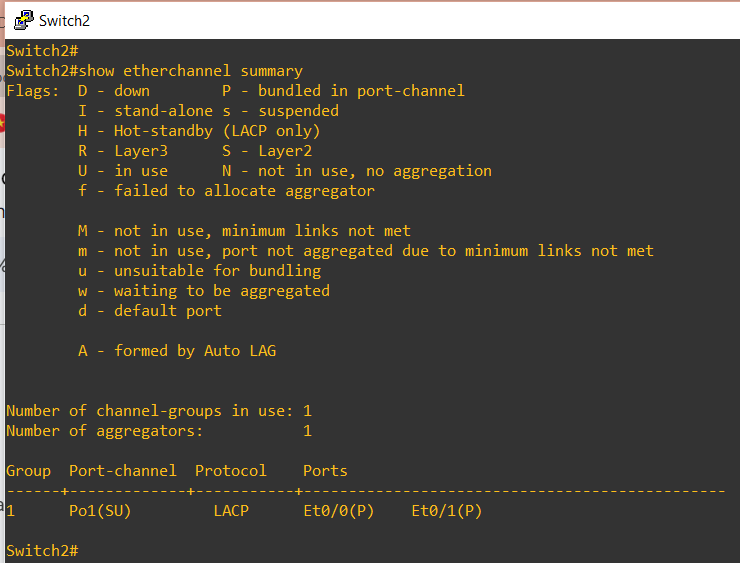
show etherchannel load-balance
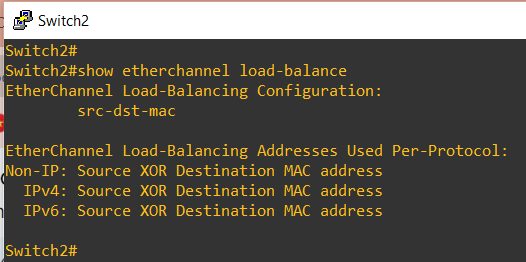
Bước 3) Cấu hình cho 2 PC
Trên PC1:
ip 192.168.100.11/24 192.168.100.1
ip dns 8.8.8.8
save
show ip all
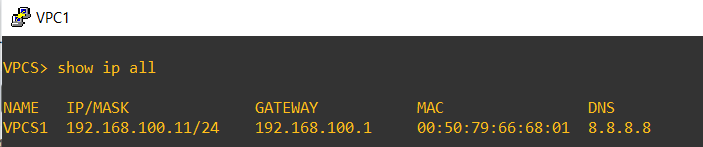
Trên PC2:
ip 192.168.100.22/24 192.168.100.1
ip dns 8.8.8.8
save
show ip all

Bước 4) Kiểm tra thông mạng & kiểm tra cân bằng tải trên 2 Switch
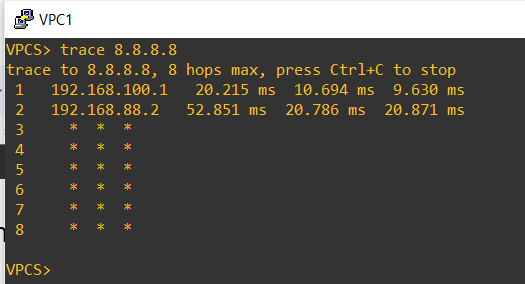
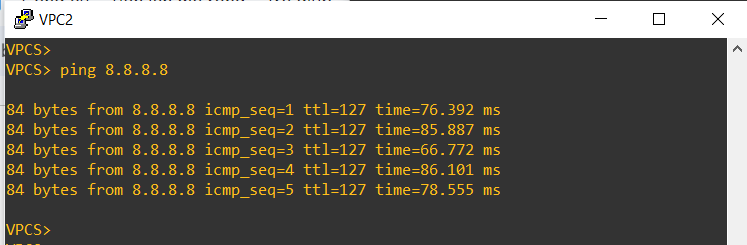
Đứng tại VPC1, ping ra ngoài & bắt gói tin trên các link nối giữa 2 switch để phân tích.
- Xây dựng tài liệu hệ thống
- GENERATE AI DIAGRAM TRONG VISUAL PARADIGM
- Khám phá ngành mạng máy tính: Cơ hội nghề nghiệp đột phá và tương lai định hình 2026
- QMIX – Kỹ thuật học tăng cường sâu đa tác tử cho các bài toán ra quyết định phối hợp
- Lỗ hổng nghiêm trọng trong Docker Sandboxes có thể cho phép mã độc truy cập tệp trên macOS host