



Giả lập LAN-Internet
Cấu hình cho sơ đồ mạng sau:

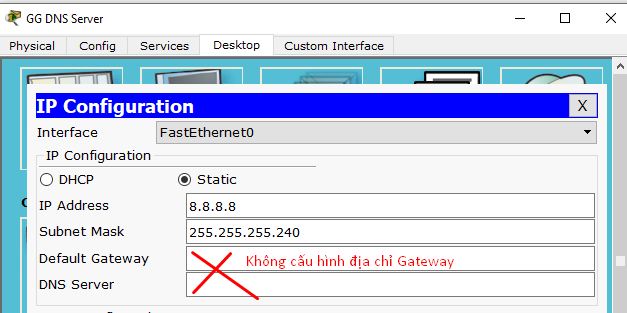
GG DNS Server:

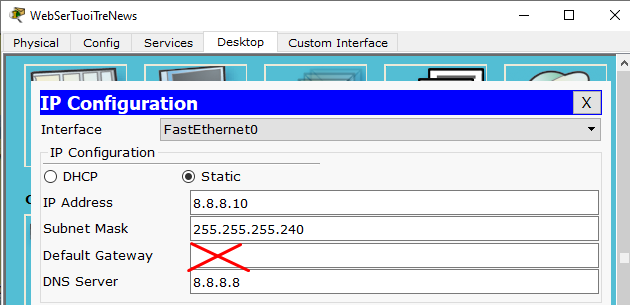
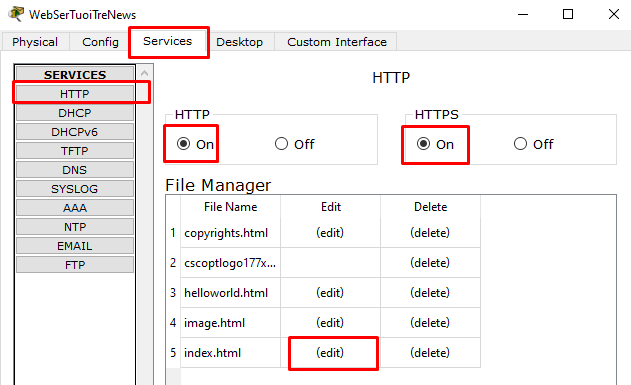
WebSerTuoiTreNews:

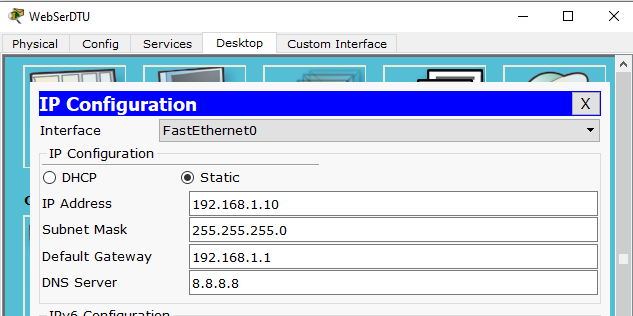
WebSerDTU:
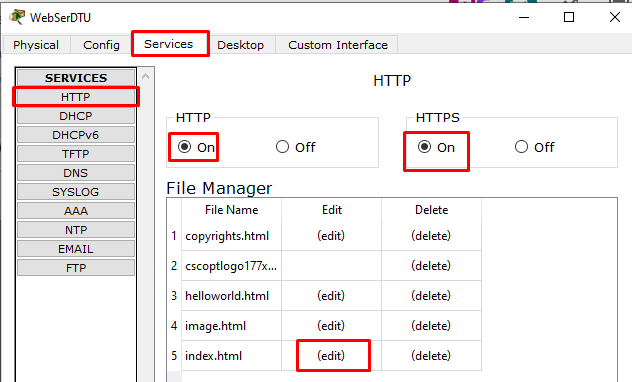
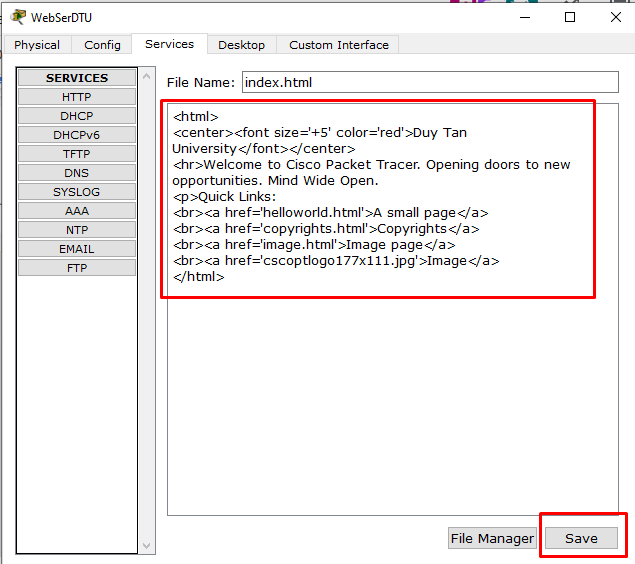
DHCP Server:
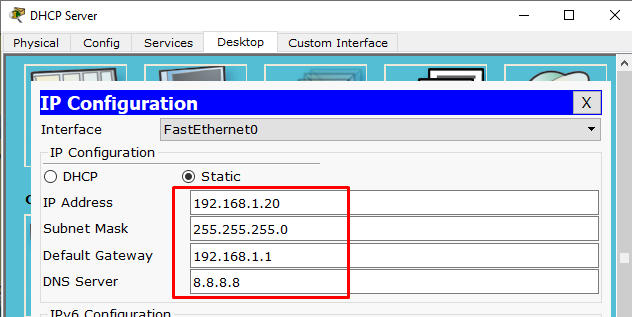
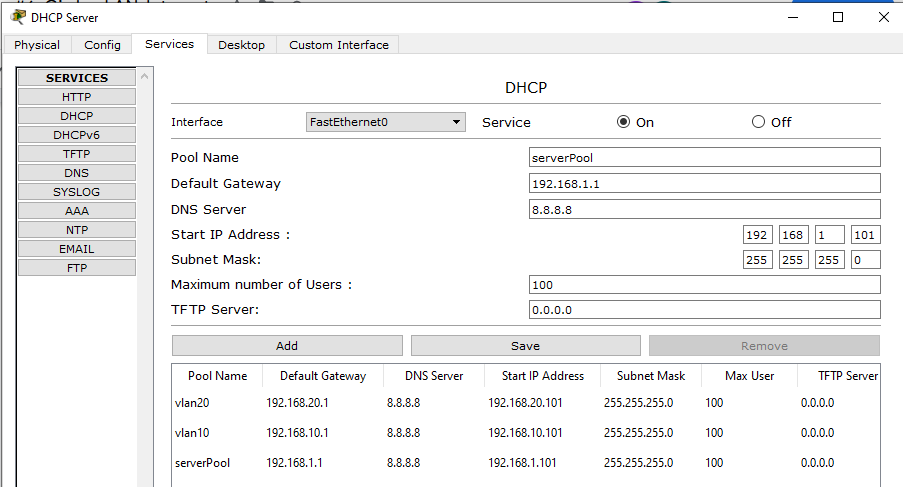
SWCore:
Bước 1) Cấu hình IP cho các Interface VLAN, routing, trunking, …
!
hostname SWCore
!
ip routing
!
!
interface GigabitEthernet0/1
switchport trunk encapsulation dot1q
switchport mode trunk
!
interface GigabitEthernet0/2
switchport trunk encapsulation dot1q
switchport mode trunk
!
interface Vlan1
no shut
ip address 192.168.1.1 255.255.255.0
!
interface Vlan10
ip address 192.168.10.1 255.255.255.0
ip helper-address 192.168.1.20
!
interface Vlan20
ip address 192.168.20.1 255.255.255.0
ip helper-address 192.168.1.20
!
ip route 0.0.0.0 0.0.0.0 192.168.1.254
!
Bước 2) Cấu hình VTP
vtp mode server
vtp domain duytan.vn
vtp password dtu123
Bước 3) Tạo các VLAN
SWCore(config)#vlan 10
SWCore(config-vlan)#name TaiChinh
SWCore(config)#vlan 20
SWCore(config-vlan)#name KeToan
//Xem thông tin VLAN đã được tạo
SWCore# show vlan
//Xem thông tin VTP
SWCore# show vtp status
Switch SW1:
vtp mode client
vtp domain duytan.vn
vtp password dtu123
interface G0/1
switchport mode trunk
exit
interface range F0/1 - 10
switchport mode access
switchport access vlan 10
exit
//Xem thông tin VLAN đã được tạo
SW1# show vlan
//Xem thông tin VTP
SW1# show vtp status
Switch SW2:
vtp mode client
vtp domain duytan.vn
vtp password dtu123
interface G0/2
switchport mode trunk
exit
interface range F0/11 - 20
switchport mode access
switchport access vlan 10
exit
//Xem thông tin VLAN đã được tạo
SW1# show vlan
//Xem thông tin VTP
SW1# show vtp status
Laptop-VLAN10:
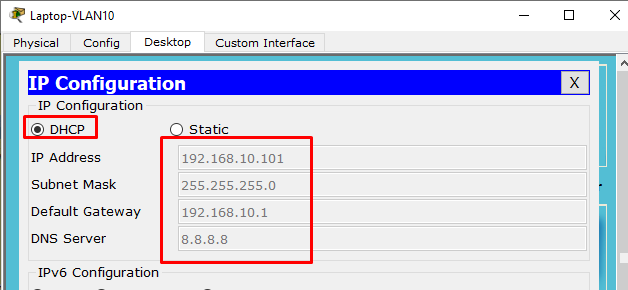
//Laptop-VLAN10 đã xin được IP từ DHCP Server
Laptop-VLAN20:
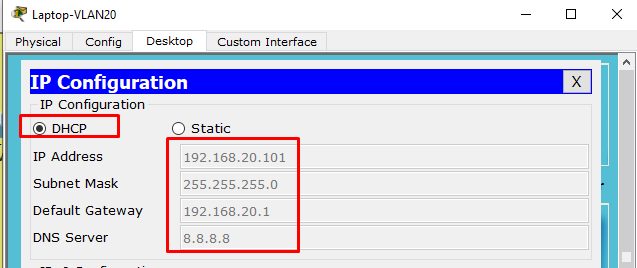
//Laptop-VLAN20 đã xin được IP từ DHCP Server
Router Gateway:
!
hostname RouterGW
!
interface FastEthernet0/0
no shut
ip address 192.168.1.254 255.255.255.0
ip nat inside
exit
!
interface FastEthernet0/1
no shut
ip address 8.8.8.9 255.255.255.240
ip nat outside
exit
!
ip route 192.168.10.0 255.255.255.0 FastEthernet0/0
ip route 192.168.20.0 255.255.255.0 FastEthernet0/0
!
access-list 1 permit 192.168.1.0 0.0.0.255
access-list 1 permit 192.168.10.0 0.0.0.255
access-list 1 permit 192.168.20.0 0.0.0.255
!
!
ip nat inside source list 1 interface FastEthernet0/1 overload
ip nat inside source static tcp 192.168.1.10 80 8.8.8.9 80
ip nat inside source static tcp 192.168.1.10 443 8.8.8.9 443
!
Kiểm tra kết nối:
Đứng từ Laptop-VLAN10 truy cập http://tuoitre.vn
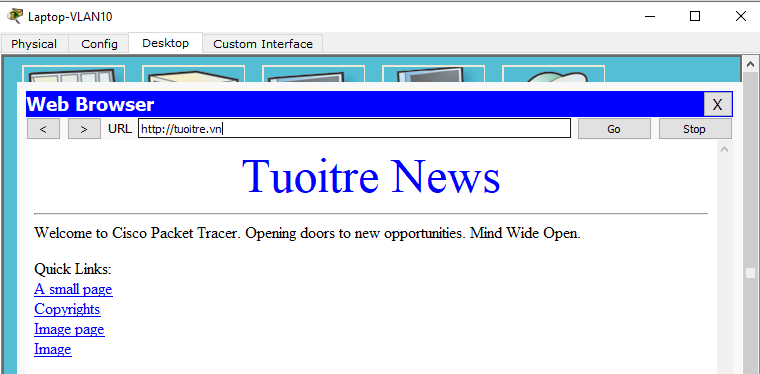
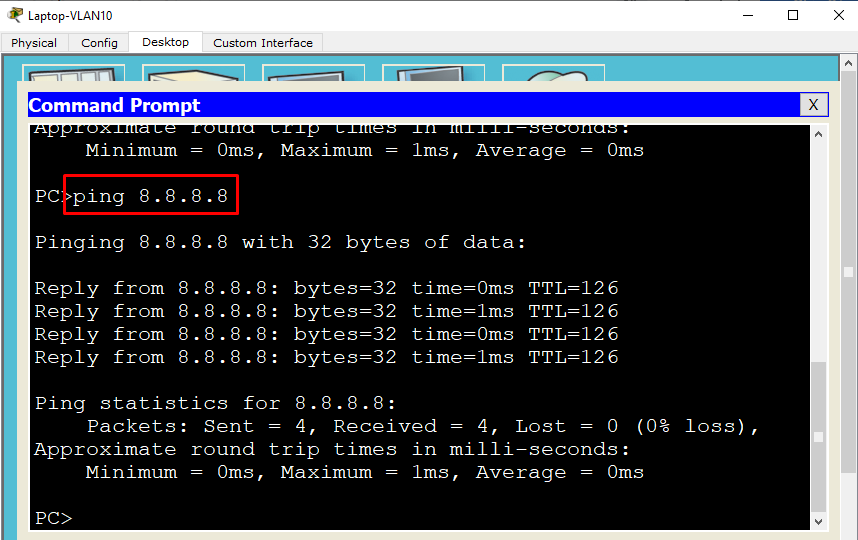
Đứng từ Laptop-VLAN10 ping đến tất cả các vị trí trong sơ đồ:
Đứng từ WebSerTuoiTreNews thử ping đến IP 192.168.1.10 (WebSerDTU)
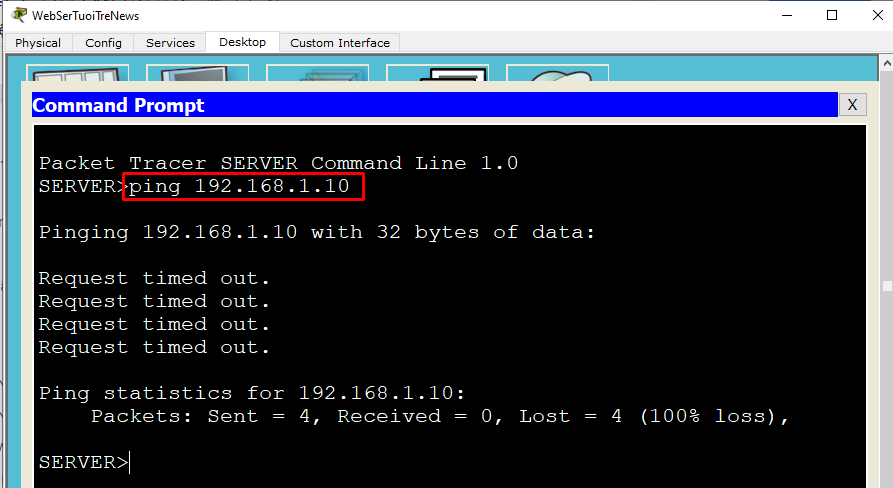
Ping thất bại là đúng theo yêu cầu đặt ra.
Đứng từ WebSerTuoiTreNews thử ping đến http://dtu.vn hoặc https://dtu.vn
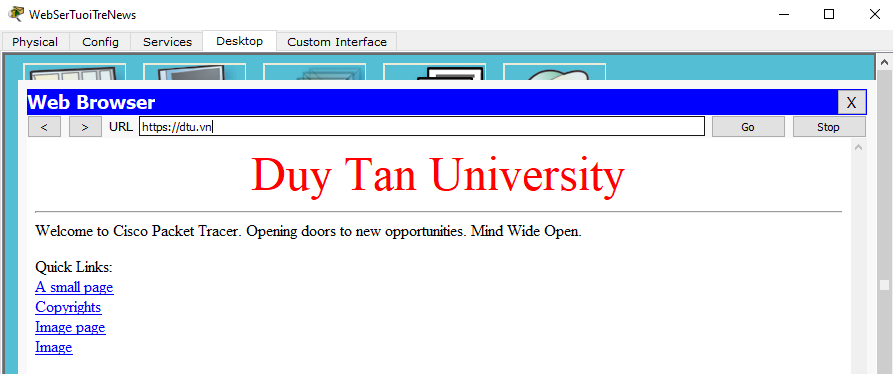
Trung cập thành công là OK!
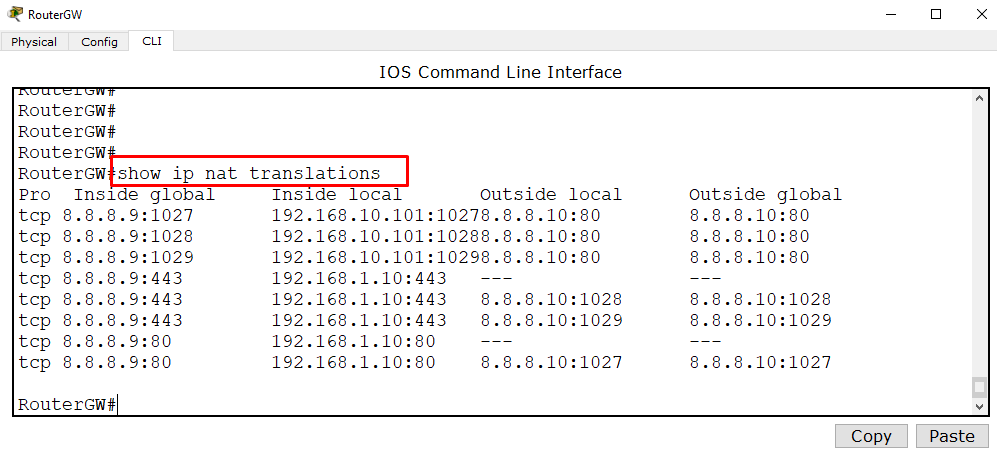
Đứng tại Router Gateway kiểm tra các phiên NAT:
RouterGW#show ip nat translations
- GENERATE AI DIAGRAM TRONG VISUAL PARADIGM
- Khám phá ngành mạng máy tính: Cơ hội nghề nghiệp đột phá và tương lai định hình 2026
- QMIX – Kỹ thuật học tăng cường sâu đa tác tử cho các bài toán ra quyết định phối hợp
- Lỗ hổng nghiêm trọng trong Docker Sandboxes có thể cho phép mã độc truy cập tệp trên macOS host
- OpenAI công bố 6 sự cố liên quan đến hành vi bất thường của mô hình AI